How AI helps you build a software product, stage by stage
Where AI genuinely helps in software product development, from discovery and requirements to code, tests and release, and what your people should still own.
Disclosure. Published by SyncupHUB, which makes one of the tools in this guide. Other tools are described by what they are established to do, not by prices or plans, which change often; check each vendor’s site before you choose.
Short answer
How can AI help with software product development?
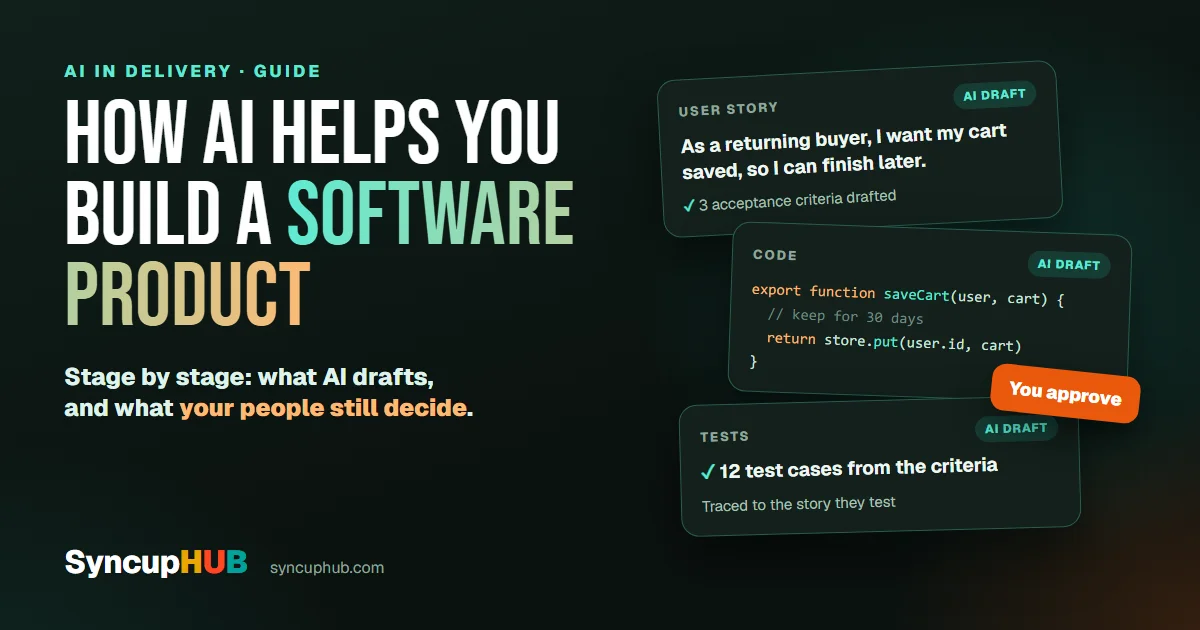
AI helps at every stage by drafting the first version: clustering customer feedback, writing user stories and acceptance criteria, prototyping screens, writing code and tests, drafting release notes and reading delivery risk from the work. People still decide what to build, review what AI produced and own what ships.
AI can now draft a user story, a screen, a function and a test case in about the time it takes to describe them. That does not make it a product team.
Used well, it takes the slow, repetitive drafting out of every stage of building a product, so your people spend their time on the decisions only they can make. This guide goes stage by stage: what AI does well, what stays with people, and how to check the output before it costs you.
The rule that holds at every stage
AI is fast at producing a first version and has no idea whether it is the right one. So the pattern is the same at every stage: AI drafts, a person decides, and the work keeps a record of both.
- Give it context, not just a prompt. The request, the existing code, the acceptance criteria. AI guesses less when it reads more.
- Keep the output checkable. Small pieces, each with a way to verify it: a source, a test or a reviewer.
- Keep a person accountable. Someone approves what ships, and the record says who.
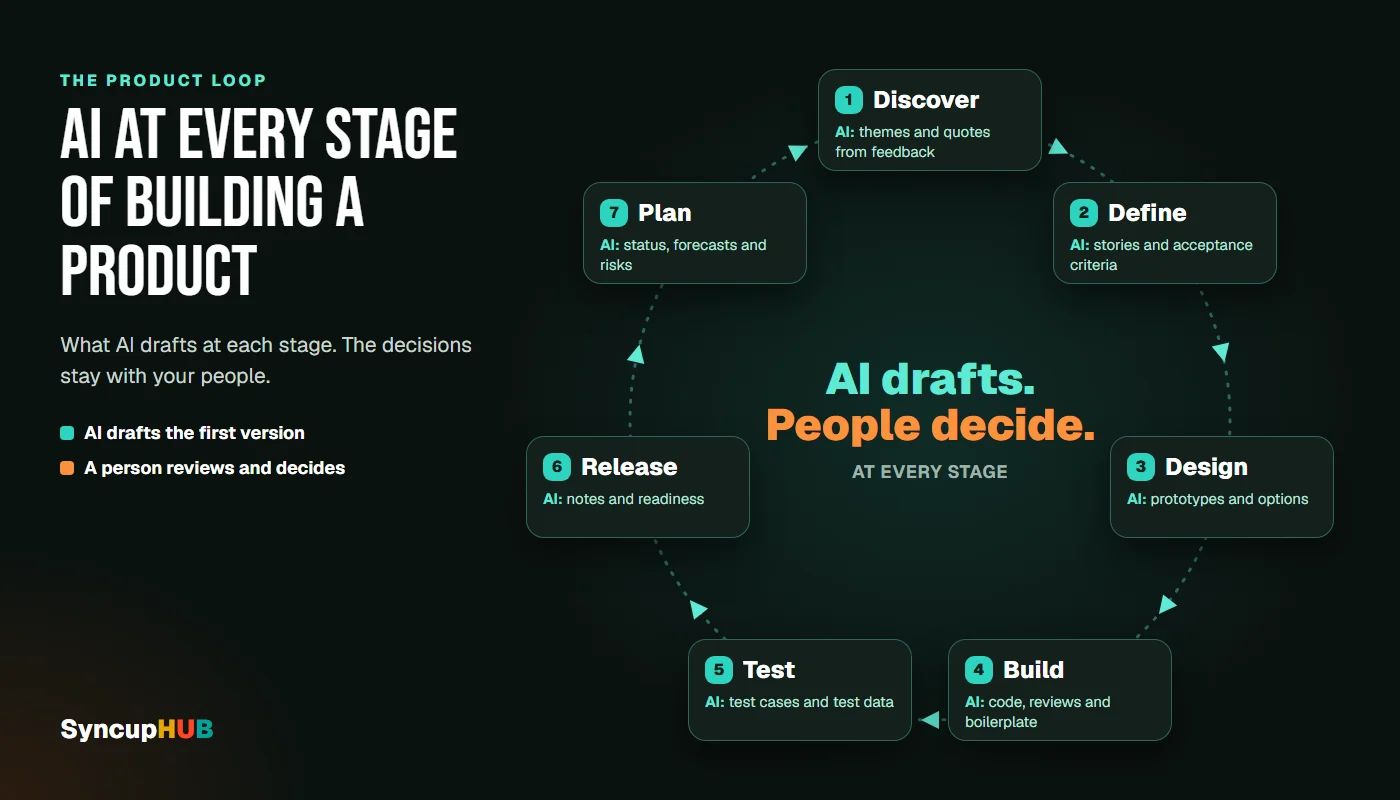
AI makes the first draft cheap. It does not make the decision cheap.
Discovery: understanding the problem
Discovery produces more raw material than anyone can read: interview transcripts, support tickets, sales notes, survey answers and app reviews. AI is good at the first pass.
- Summarise and cluster feedback into themes, with how often each one comes up
- Pull the quotes behind each theme, so you read the customer’s own words
- Draft interview guides and survey questions from your hypotheses
- Scan competitors with a research tool that cites its sources
Research and feedback tools such as Dovetail (dovetail.com) and Productboard (productboard.com) build this into their workflows. A general assistant can do a lighter version with transcripts you upload.
People still own: which problem is worth solving, for whom, and why now. Check it by opening the quotes behind every theme. A theme with no quotes is the model’s idea, not your customers’.
Requirements and the backlog
This is where vague requests become buildable work, and where missing information is cheapest to find.
- Turn a request into user stories, and draft acceptance criteria for each
- Flag what is missing: undefined users, untestable words like “fast” or “easy”, unstated edge cases
- Spot duplicates and conflicts with work already in the backlog
- Split large stories into pieces a team can finish in a sprint
In SyncupHUB, the PO Agent does this at intake. It checks each request for missing information and drafts requirements and acceptance criteria for the product owner to approve. From request to backlog follows the whole route.
To check a story of your own, try our free user story checker, or start from the user story template.
People still own: priority, scope and the trade-offs between them. Check it by asking whether a tester could write a test from each acceptance criterion. If not, the story is not finished.
Design and architecture
- Generate UI drafts and clickable prototypes from a description, to test an idea before anyone designs it properly. Figma (figma.com) and v0 (v0.dev) both do this.
- Lay out architecture options with their trade-offs, for an architect to weigh
- Draft the documents nobody enjoys writing: decision records, API descriptions, data dictionaries
- Explain the code you already have, which is often the real starting point
That last one matters more than it sounds. Most products are built on top of an existing system, and the people who understood it have often moved on. SyncupHUB’s AI Documentation reads a repository into architecture, data models, APIs and flows, each finding linked to its source; reverse engineering a legacy codebase shows how.
People still own: the architecture decisions, and the design judgement that makes a product feel like one product. Check it by tracing every claim about an existing system back to the code it came from.
Writing code
Coding is where AI is most visible, and where its output is easiest to check, because code can be run and tested.
- Completion and chat in the editor, with GitHub Copilot (github.com/features/copilot) or Cursor (cursor.com)
- Agents that take on whole tasks: they read the codebase, change several files and run the tests. Claude Code (claude.com/product/claude-code) works this way, as do the agent modes in Copilot and Cursor.
- Help with code review: a summary of the pull request, likely bugs, missing tests
- The boring parts: boilerplate, migrations, upgrades, tests for code that has none
Faster code is not the same as faster delivery. Google’s 2024 DORA report found that as AI adoption increased, delivery throughput fell by an estimated 1.5% and delivery stability by an estimated 7.2%, even as documentation quality, code quality and code review speed improved. Its explanation: the basics, small batch sizes and robust testing, still decide whether faster coding becomes better delivery.
People still own: design, security and what gets merged. Check it by reviewing agent changes like a colleague’s pull request, keeping each change small, and confirming that every package it adds is real and the one you meant. AI can suggest a package name that does not exist, and anyone can publish one under that name.
Testing and quality
- Draft test cases from acceptance criteria, including the edge cases people forget
- Generate test data that looks real without being real customer data
- Write unit tests for code that has none
- Triage failures: group flaky tests and find what failing runs have in common
SyncupHUB’s QA Intelligence drafts test cases from acceptance criteria. QA approves them, and each one stays traced to the requirement it tests.
People still own: what “good enough to ship” means. Check it by breaking the code on purpose. A test that still passes when the feature is broken is not testing it.
Release and operations
- Release notes and changelogs, drafted from merged work in words customers understand
- Release readiness: what was tested, what was not, and what changed since the last check
- Incident summaries and timelines, from logs, alerts and chat
- Support answers, drafted from your own documentation
People still own: the go or no-go call. Check it by following the evidence. Every “ready” should point to the tests and approvals behind it, as release confidence, powered by evidence explains.
Planning and delivery
Then there is the work around the work: status updates, stand-ups, reports and forecasts. It eats a surprising share of a product team’s week, and AI can take most of the drafting.
- Status read from the work itself, instead of retyped into a report
- Forecasts and risks read from what is happening, early enough to act on
- Capacity and dependencies checked before a plan is committed
- Stand-ups and reviews that start from facts, not from memory
This is the part of the job SyncupHUB was built for. The Delivery Digital Twin is a live model of the delivery that forecasts the release and tests a change before you commit to it, and the Sync Board runs the daily syncup from the work. You can try the idea on a sample release with Try it on our homepage.
People still own: the commitments. Check it by asking whether the forecast shows its reasons. A number without reasons cannot be challenged, and a plan nobody can challenge is a guess.
What to watch for
- Your code and data. Use business or enterprise plans your company has approved, which generally commit not to train on your data, or models that run inside your own tenant. Never paste credentials or customer data into a personal account.
- Confident mistakes. AI can invent an API, a library or a fact, and state it fluently. Anything that cannot be checked quickly needs a source.
- Bigger batches. When code is cheap to write, changes grow. Keep them small enough to review properly.
- Unclear accountability. If an agent changed it, who approved it? See who approves what your AI just did.
- Cost creep. Every tool and every call has a bill. Count it per team; the real cost of AI in delivery tooling shows where it hides.
- Skills that fade. Newer engineers still need to learn to write and debug code without an assistant.
How to start: a four-week plan
- 1Week 1: pick one bottleneck and measure it. Where does work wait longest: unclear requirements, code review, testing, status reporting? Measure it as it is today, for example the days from request to ready story, or from pull request to merge.
- 2Week 2: choose one tool for that stage and agree the rules: which data it may see, and who reviews its output.
- 3Weeks 3 and 4: use it on real work and measure the same thing again, counting the time spent checking and fixing.
- 4Then decide. Keep it, change how you use it, or drop it and move on to the next bottleneck.
One bottleneck at a time beats a tool for every stage at once. You learn what works for your team, and you can see the difference.
At a glance
| Stage | AI helps with | People still own | Check it by |
|---|---|---|---|
| Discovery | Themes and quotes from feedback, research with sources | Which problem to solve | Reading the quotes behind each theme |
| Requirements | Stories, acceptance criteria, gaps and duplicates | Priority and scope | Asking if a tester could test it |
| Design and architecture | Prototypes, options, documents, explaining code | The design and architecture decisions | Tracing claims to the code |
| Coding | Completion, agents, review help, boilerplate | What gets merged | Small changes, tests, real packages |
| Testing | Test cases, test data, unit tests, triage | What good enough means | Breaking the code on purpose |
| Release and operations | Release notes, readiness, incident summaries | The go or no-go call | The evidence behind every “ready” |
| Planning and delivery | Status, forecasts, risks, capacity | The commitments | Forecasts that show their reasons |
One workspace, or a tool for every stage?
Most teams assemble all this from separate tools, one per stage. That works, but each tool sees only its own stage, so the context AI needs, such as the request behind a story or the requirement behind a test, gets lost at every hand-off.
SyncupHUB keeps the stages in one connected structure, from business request to evidenced release. Requirements are traced to the code that shipped them and to the tests that cover them, and persona agents propose while people approve. The AI runs inside your own tenant or through a provider you approve, such as the OpenAI or Claude APIs, and teams on Jira can keep it with two-way sync. Cloud is free for the first month, then $7.65 per user per month.
Frequently asked questions
Can AI build a software product on its own?
Not one worth shipping. AI can turn a description into a working prototype, and coding agents can complete well-defined tasks. Deciding what to build, for whom, and whether it is good enough to release still takes people who understand the customer and own the outcome.
Will AI replace developers and product managers?
It changes their work more than it removes it. AI takes over much of the drafting: stories, code, tests, notes and reports. What grows in value is judgement: choosing the problem, reviewing what AI produced, and being accountable for what ships.
Which stage of product development gains most from AI?
Usually the stage where your work waits longest. For many teams that is turning requests into clear requirements, or the reporting around delivery, rather than writing code. Measure where work waits before you choose a tool, so you can tell whether the tool helped.
Is it safe to use AI with proprietary code?
It can be, with the right setup. Use business or enterprise plans your company has approved, which generally commit not to train on your data, or models that run inside your own environment. Keep credentials and customer data out of prompts, and review what AI changes before it merges.
How do I measure whether AI is helping my product team?
Measure the flow of work, not the volume of output. Before and after, track how long work takes from request to release, how long reviews wait, and how often releases cause problems. Count the time spent checking and fixing AI output as part of the work.
Used to replace judgement, AI gives you more to fix.
Used to take the drafting off your people, it gives you more time for the product.
Features in this article
SyncupHUB runs this inside your own tenant — a delivery model that reads the signal as it forms, with an agent for every role.
- 01The rule that holds at every stage
- 02Discovery: understanding the problem
- 03Requirements and the backlog
- 04Design and architecture
- 05Writing code
- 06Testing and quality
- 07Release and operations
- 08Planning and delivery
- 09What to watch for
- 10How to start: a four-week plan
- 11At a glance
- 12One workspace, or a tool for every stage?
- 13Frequently asked questions
Keep reading
AI software that actually saves you time in 2027
The AI tools that genuinely save hours, from meeting notes to code, task by task, and a simple test for spotting the ones that only add work.
How to check if your data was leaked, and what to do in the next hour
A breach in the news? Check in five minutes whether your email or passwords were exposed, then lock things down in the next hour. Free tools, plain steps.