Visual Canvas
Sticky notes, flows and architecture on one board, with every shape linked to real work.
Learn moreLiving documents, right beside the work they describe.
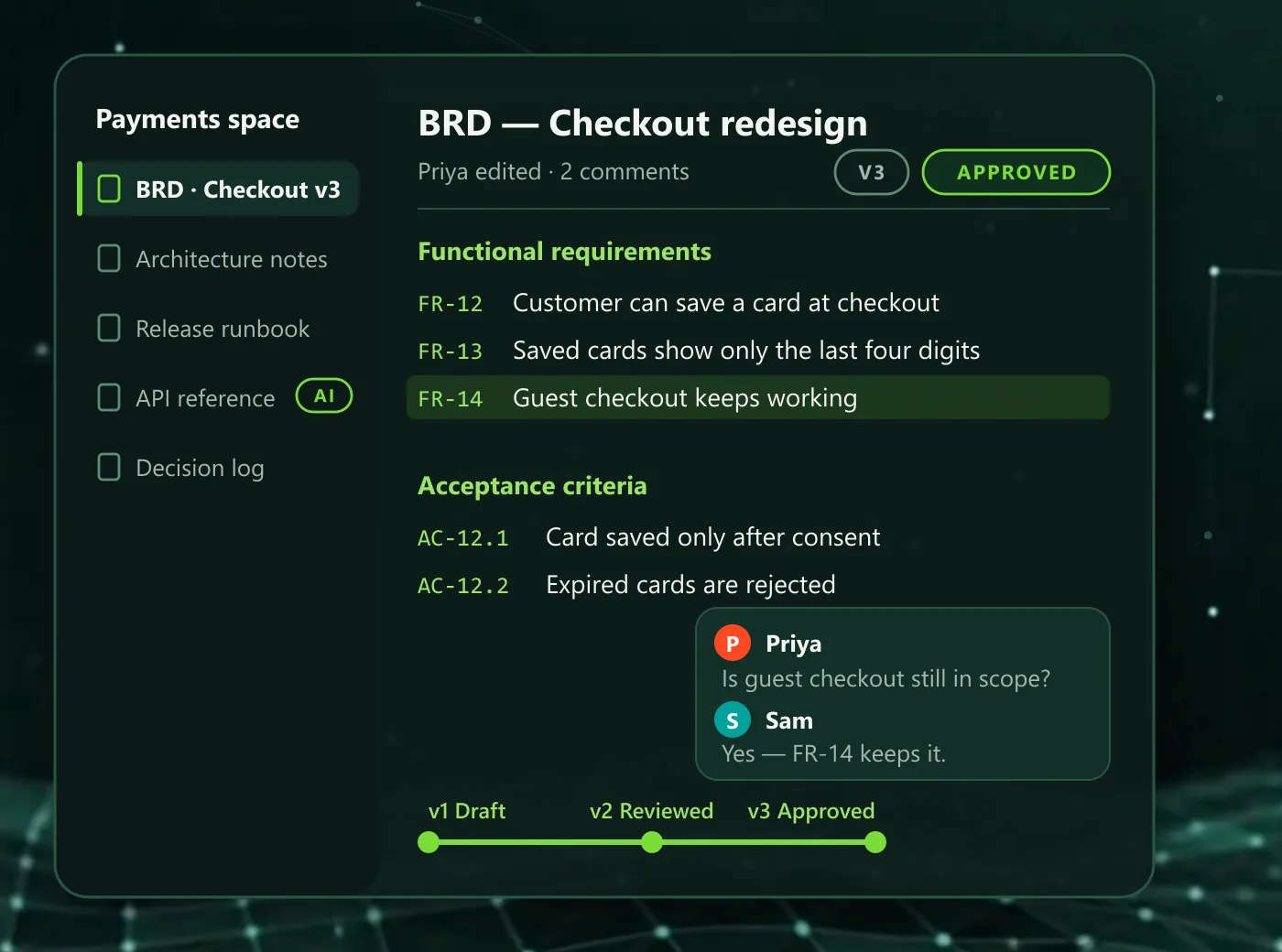
Document Spaces are collaborative documents inside SyncupHUB, organised into spaces for a product, programme or team. They support comments, suggestions, approvals and version history, and they sit next to the work they describe, so a BRD, a runbook or an architecture note is one click from the stories and decisions it governs.
Create a space for a product, programme or team and keep its documents beside the backlog, rather than in a separate wiki.
Reviewers comment and suggest edits on the text itself, and the author accepts or declines each suggestion.
A document moves through review to approval and every version is kept, so you can see what changed and who agreed to it.
Architecture, API and schema documentation produced from repository analysis can be saved into a space, next to the documents people wrote.
Stated plainly, before a demo does.
A wiki sits beside the work; Document Spaces sit inside it. Each document lives in a space for a product, programme or team, next to the stories and decisions it describes, with comments, suggestions, approvals and version history built in rather than added on.
Yes. A document moves through review to approval and every version is kept. A BRD is re-approved when its source changes, so the approved version is always the one the team is building against.
Yes. Business Requirements Documents built in SyncupHUB, with objectives, scope, numbered requirements, acceptance criteria, journeys and open decisions, can be exported to Word for sign-off outside the workspace.
AI Documentation analyses a repository and produces source-linked architecture, API, schema and flow documentation. Teams can save it into a space, where it sits beside the documents people wrote and is reviewed the same way.
Sticky notes, flows and architecture on one board, with every shape linked to real work.
Learn moreFollow a requirement to the code that shipped it, and recover requirements from code that exists.
Learn moreAI-drafted test cases from acceptance criteria, approved by QA and traced to the requirement.
Learn moreA 30-minute walkthrough on your delivery model, not a generic demo.