How to check if your data was leaked, and what to do in the next hour
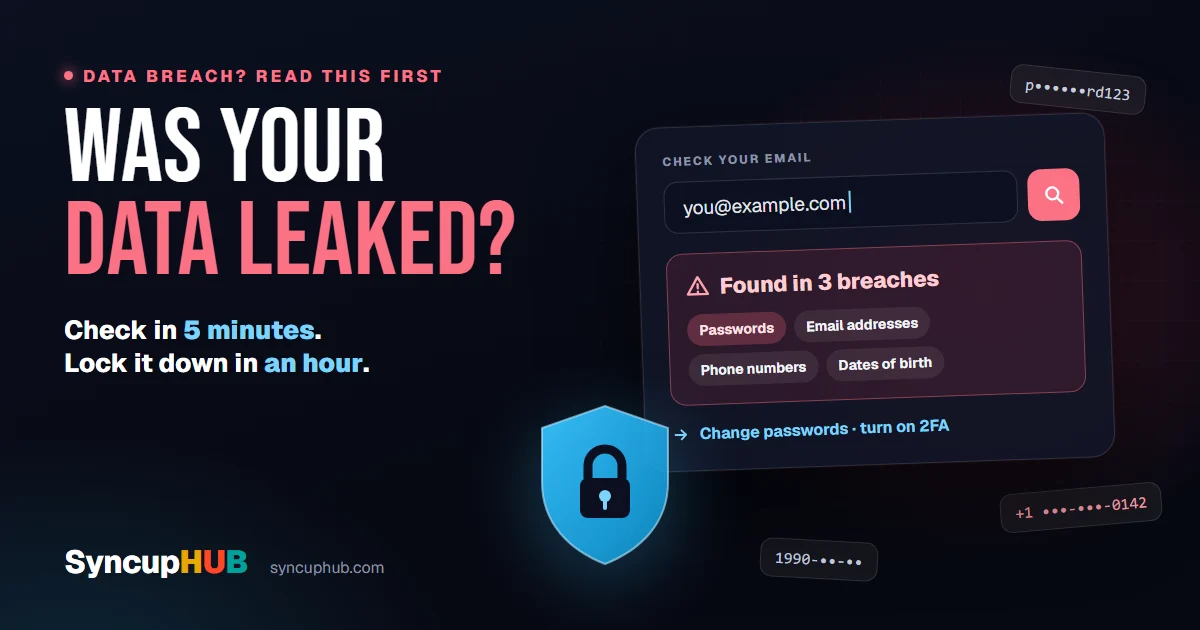
A breach in the news? Check in five minutes whether your email or passwords were exposed, then lock things down in the next hour. Free tools, plain steps.
Short answer
How do I check if my data was leaked?
Enter your email address at Have I Been Pwned or Mozilla Monitor, both free, to see which known breaches included it and what leaked with it. Check your passwords with your password manager’s built-in breach check. If anything turns up, change those passwords first and turn on two-factor sign-in.
A company you have an account with has been breached. Your inbox is full of advice, half of it from people trying to sell you something, and some of it from people trying to steal from you.
Here is the calm version: how to find out in five minutes whether your details were in a leak, and the handful of things worth doing in the next hour if they were.
First, don’t click the “your data was leaked” email
Breach news is a gift to scammers. Within hours, emails and texts arrive that look like warnings from the breached company, your bank or a security service, each with a link to “verify your account” or “check your exposure”.
The rule is simple: never follow a link in a message about a breach. Type the company’s address yourself, or open its app. A real warning will still be there when you do.
If a message about a breach asks for your password, it is the breach.
Check your email address
Start with Have I Been Pwned. Enter your email address and it lists every known breach that included it, and what was exposed alongside it: passwords, phone numbers, dates of birth, home addresses. It is free, it has been running since 2013, and you can sign up to be told about future breaches.
Mozilla Monitor does a similar free scan and tells you what to do about each result.
Check every address you use, including old ones you still have accounts on. And read a clean result carefully: it means your address is not in a breach these services know about yet, not that you have never been in one.
Check your passwords, safely
Never type a password into a website that offers to check it. The safe way is the password manager you probably already have, which checks your saved passwords against known breaches without sending them anywhere:
- Google Password Manager runs Password Checkup in Chrome and on Android
- Apple’s Passwords app flags compromised passwords under Security Recommendations
- Microsoft Edge has Password Monitor
- 1Password (Watchtower) and Bitwarden (its breach and exposed-password reports) do the same
If you want to check one password by hand, use Pwned Passwords. It sends only the first five characters of a scrambled version of the password, so neither the site nor anyone watching ever sees it.
Read what was in the breach
What you need to do depends on what leaked, not on how frightening the headline was. Have I Been Pwned lists the data types for each breach; match them here:
| Leaked | What criminals do with it | What to do |
|---|---|---|
| Email address | Targeted phishing and spam | Be suspicious of messages that mention the breach |
| Password | Try it on your other accounts | Change it, and everywhere you reused it |
| Phone number | Scam texts and calls; SIM-swap attempts | Ask your carrier for a port-out PIN or number lock |
| Address and date of birth | Pass identity checks in your name | Freeze your credit; watch your post and statements |
| ID or tax number | Open accounts and file claims as you | Freeze your credit and report it officially |
| Card details | Spend on your card | Call your bank and replace the card |
The next hour: lock it down
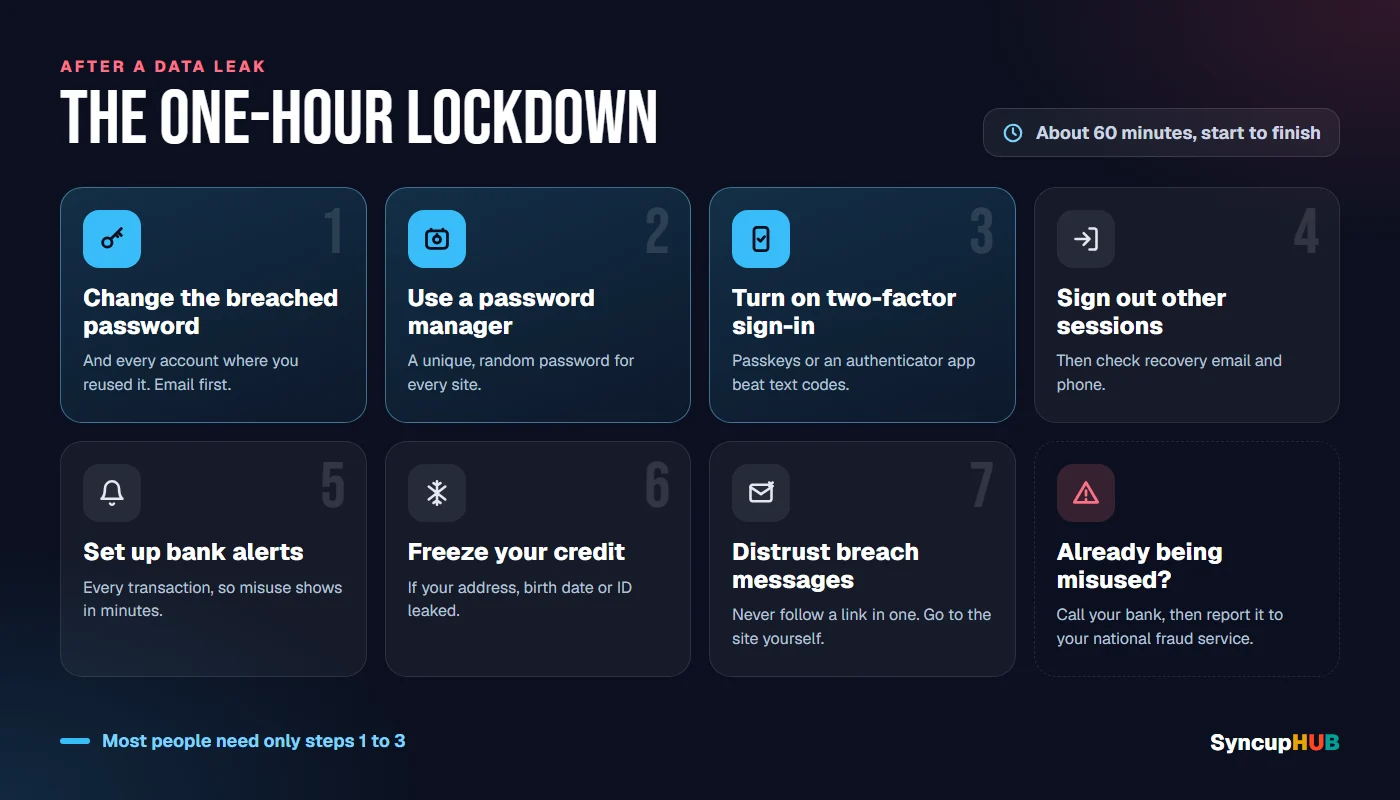
- 1Change the breached password, then every account where you used the same one. Start with email, because whoever controls your email can reset everything else.
- 2Move to a password manager, so every site gets its own long, random password. The one built into your phone or browser is fine.
- 3Turn on two-factor sign-in for email, banking and anything with your card saved. Passkeys or an authenticator app are stronger than codes by text message.
- 4Sign out other sessions and check the recovery email and phone number on your important accounts. Attackers change these quietly.
- 5Set up alerts with your bank and card provider for every transaction, so misuse shows up in minutes, not at the end of the month.
- 6Freeze your credit if your address, date of birth or ID number leaked. In the US it is free at Equifax, Experian and TransUnion.
- 7Treat every message about the breach as a possible scam, however official it looks.
Signs someone is using your data
- Password-reset emails or sign-in codes you did not ask for
- Alerts about a sign-in from a new device or country
- Your phone suddenly losing signal for no reason, which can mean a SIM swap
- Bills, parcels or credit checks for things you never ordered
- Friends receiving odd messages from your accounts
Any one of these is worth acting on straight away: change the password, sign out other sessions, and call your bank or carrier if money or your number is involved.
If your data is already being misused
Report it, and keep a record of every call and reference number; you will need them later.
- Your bank or card provider, first, if money is involved
- In the US: the FTC’s IdentityTheft.gov builds a recovery plan and the reports you need
- In India: the National Cyber Crime Reporting Portal, cybercrime.gov.in, or the 1930 helpline for financial fraud
- Elsewhere: your national fraud or cybercrime reporting service, and the police if you have lost money
If it’s your work account
If your work email shows up in a breach, tell your IT or security team before you do anything else. A leaked work password is rarely just your problem: it can be a way into everything your account can reach.
For organisations, the protections that make a leaked password harmless are unglamorous: sign-in through one identity provider with single sign-on and multi-factor authentication, access removed the day someone leaves, and a record of who accessed what. Have I Been Pwned also lets a company monitor its own email domain.
It is the same reasoning behind how SyncupHUB handles access: sign-in through your identity provider with SSO and SAML, SCIM provisioning that removes people when they leave, access scoped to tenant and project, and every access decision recorded.
Make the next breach boring
Breaches will keep happening. What you control is how much each one costs you:
- Unique passwords everywhere, kept by a password manager, so one leak opens one door
- Passkeys wherever a site offers them, since there is no password to leak
- Two-factor sign-in on every account that matters
- A credit freeze left on if you live in the US, lifted only when you apply for credit
- Email aliases for sign-ups, such as Apple’s Hide My Email or Firefox Relay, so a leaked address can be switched off
Do that once, and the next breach in the news becomes a five-minute check rather than a bad week.
Frequently asked questions
How do I check if my email has been leaked?
Enter it at Have I Been Pwned (haveibeenpwned.com) or Mozilla Monitor (monitor.mozilla.org). Both are free and show which known breaches included your address and what was exposed with it, such as passwords, phone numbers or home addresses.
Is Have I Been Pwned safe to use?
Yes. It has been run by security researcher Troy Hunt since 2013 and is widely used by governments and companies. Checking an email address does not ask for your password, and its password check sends only a fragment of a scrambled version of the password, never the password itself.
My password was in a breach. Do I need to change all my passwords?
Change the leaked password, and change it everywhere else you used the same one, because attackers try leaked passwords on other sites. Going forward, a password manager makes a unique password for every site easy.
Should I pay for a dark web monitoring service?
Not for the basics. Free tools already alert you to known breaches: Have I Been Pwned notifications, Mozilla Monitor and the checks built into most password managers. Paid services mainly add removal requests to data brokers and identity insurance, so check what you would actually get.
What is a credit freeze?
In the US, a credit freeze stops lenders opening new credit in your name, which blocks the most damaging kind of identity theft. It is free at each of the three bureaus, Equifax, Experian and TransUnion, and you can lift it temporarily when you apply for credit yourself.
Can I get my leaked data removed from the internet?
Usually not. Once data has been leaked, assume copies exist. What you can do is make it useless: change the passwords, turn on two-factor sign-in, freeze your credit if identity details were exposed, and treat messages that quote your details with suspicion.
A leaked password you reused everywhere is a skeleton key.
A leaked password that opens one account, behind two-factor sign-in, is a five-minute fix.
SyncupHUB runs this inside your own tenant — a delivery model that reads the signal as it forms, with an agent for every role.
- 01First, don’t click the “your data was leaked” email
- 02Check your email address
- 03Check your passwords, safely
- 04Read what was in the breach
- 05The next hour: lock it down
- 06Signs someone is using your data
- 07If your data is already being misused
- 08If it’s your work account
- 09Make the next breach boring
- 10Frequently asked questions
Keep reading

How AI helps you build a software product, stage by stage
Where AI genuinely helps in software product development, from discovery and requirements to code, tests and release, and what your people should still own.
AI software that actually saves you time in 2027
The AI tools that genuinely save hours, from meeting notes to code, task by task, and a simple test for spotting the ones that only add work.